
I'm a consummate problem solver driven by creative discontent. It's a term traced back to the Indian philosopher Krishnamurti in 'Think on These Things' which was published in the 1960s. Without going into expansive detail, it's the notion of a driving psychological state where a gap between reality and an envisioned ideal sparks the motivation to create, change, or innovate. Hate something, change something.
I use Scriptable a lot, it's a free automation tool that enables you to write scripts that integrate with the native features of iOS such as files, calendars, reminders and notifications. Scriptable bridges a gap between Apple Shortcuts and circumvents the need to build a full stand-alone application. In essence, it's at its most valuable when shortcuts become too clumsy or too convoluted to manage easily.
In many cases, the use case for building an app doesn't justify the effort of writing a Swift app with Xcode and dealing with the App Store distribution model and their painfully pedantic process.
Which brings me to bins. Our local council decided that they were going to reorganise waste and recycling. This announcement was made with some fanfare, and what preceded said change was a flurry of communications, bin colour recoding and the arrival of three new bins together with a mandate that organic food waste must be placed into gossamer thin bags that not only impose a further cost but, as I have come to discover, are hateful to use in practice and dissolve on contact with anything mildly acidic. The bags are genuine marvels of modern manufacturing – I didn't realise that advances in material science allowed for a sheer thickness only measurable in quectometres.
We now also have a convention of six bins (I'm claiming that as the collective noun) which congregate conspiratorially near the gate, paired with a revised schedule that makes getting it wrong a high-stakes event.
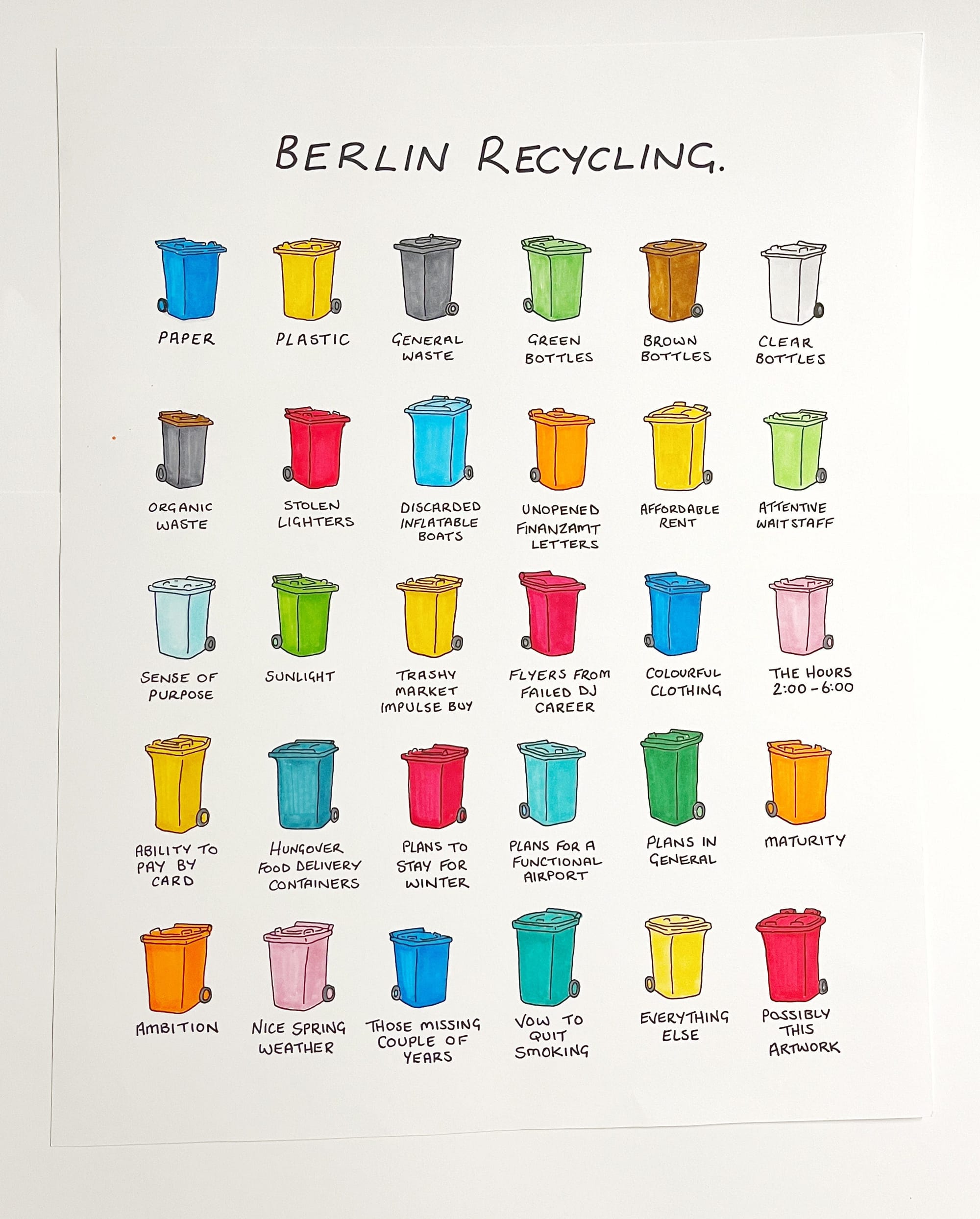
Aside from this selling-bananas-in-plastic-bags logic, the sum of these changes made me think of Chaz Hutton's 'Berlin Recycling' but with none of the charm and humour of his cartoon.
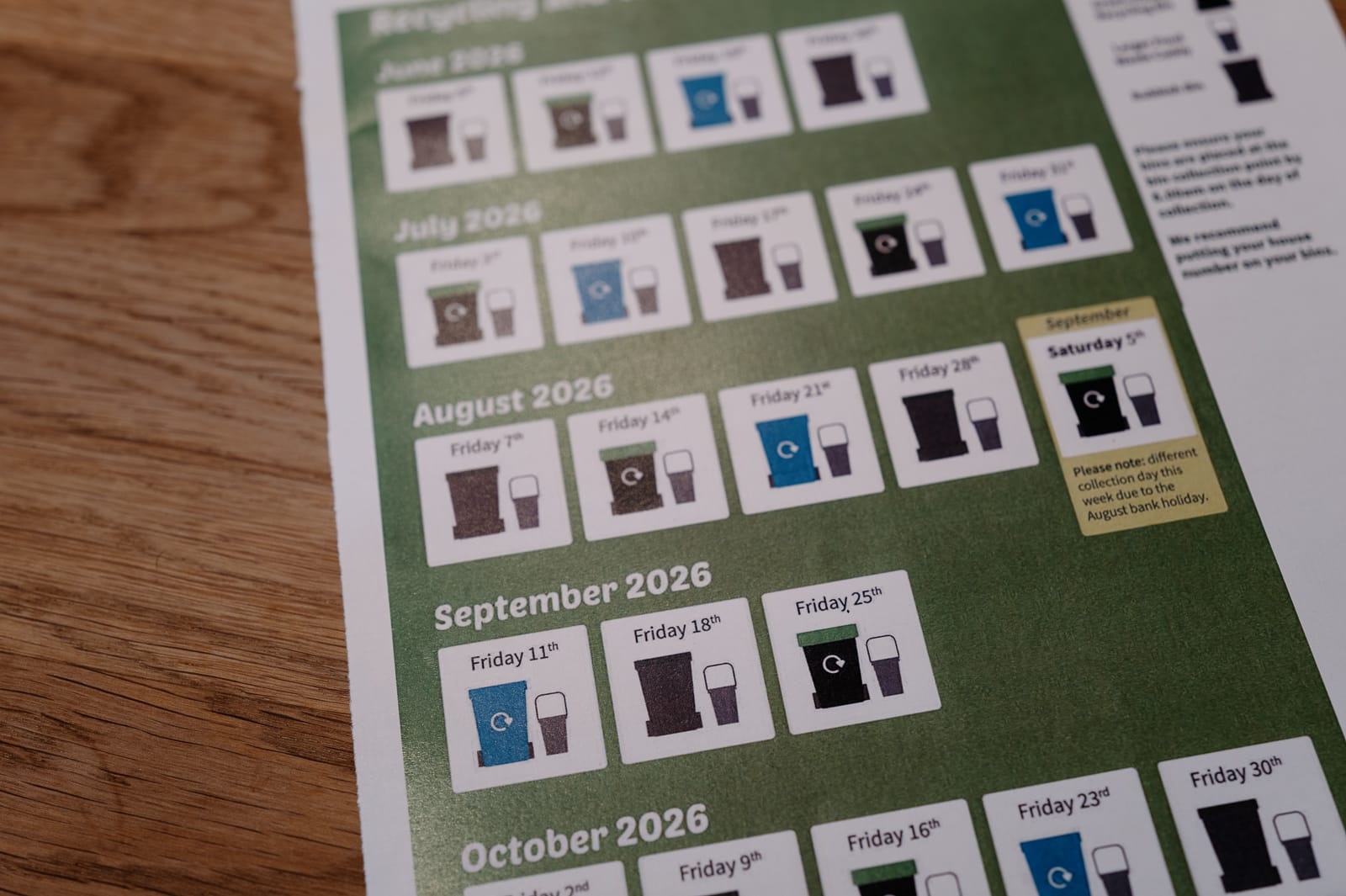
The council also produced the feat of design below, which is functionally passable, but something I'd rather put in the bin than on my fridge. The iconography of the small bin looks like a pint of Guinness or a flask for starters, and while it does have a handle, it's more readily differentiated on the basis of being a third of the size of the wheelie bin and being a mid-tone grey. The print quality is sufficiently poor to render it black, negating the entire point of the communication.
So I thought about how I'd solve the problem and concluded that a widget was the most appropriate and expedient solution.
I've summarised the product requirements below and while I'm happy to share my GitHub repo with its 280 lines of code, it's not easily portable, and you're better served adapting my requirements to your needs and using that as the basis of a prompt for Claude or Gemini coupled with your local council's data points.
To write the script manually, develop icons and debug, it would probably take me a day or thereabouts, and part of that would be the tedium of understanding Scriptable's own APIs (ListWidget, DrawContext, widget sizes, refresh timing) that are an overhead and time commitment for what is a whimsical one-off project. To create a fully working widget, it took me no more than 35 minutes.
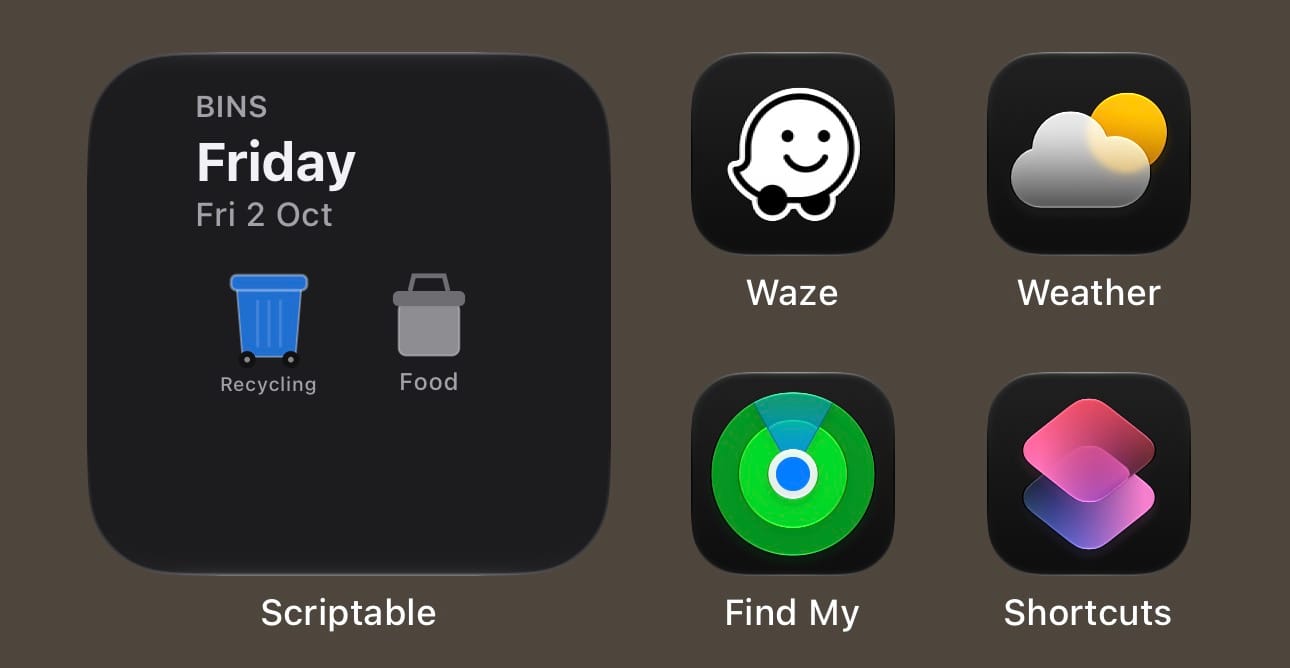
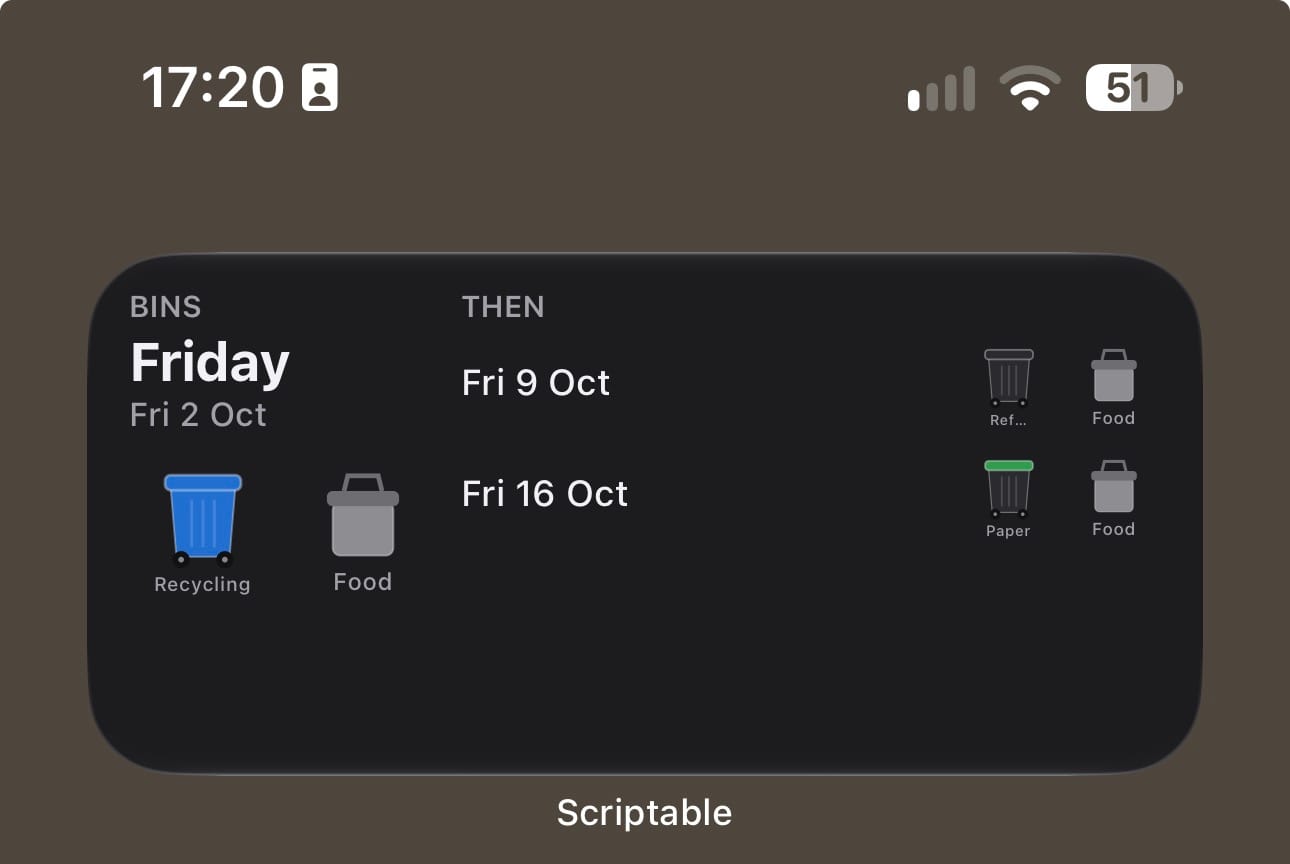
This is where AI is invaluable in addressing the long tail of personal needs and helps to reduce friction by providing ambient information. It answers the question without the need to open anything.
It's not commercially viable for the council to create and segment a tool geographically. AI makes software worth building for a small audience down to an audience of one. Scriptable is also a low-risk sandbox for rapid prototyping. Scripts run locally on your phone with no servers, accounts or imposed app-store release process.
If something breaks, the cost is a widget that doesn't load. Simple local logic tends to outlast fragile integrations with external dependencies.
This type of product should be a model for public-sector digital services. It shows what councils and public bodies could offer: publish schedules as machine-readable data, and residents (or their AI tools) can build whatever suits them. That's a cheap way to improve how services are delivered.
I had to parse multiple files in different formats, and the council's efforts fail on the basis of accessibility and inclusion. Providing source data makes public information easier to use: scaled text, clearer colours, simpler labels or other languages, shaped to the person rather than to the average user. That matters for older or visually impaired residents, and for anyone the council's PDF or printed format doesn't serve well.
The conceptual underpinning of the widget is rooted in Dieter Rams' '10 Principles of Design' and my intention was to make the design unobtrusive, honest and environmentally friendly. Spending the day it would have taken to create this widget would have been excessive relative to the derived benefit. I'm also mindful of the environmental impact of AI. It only took a handful of prompts for Claude to build the script; the phone then undertakes the daily arithmetic locally. Compared with asking a frontier LLM 'which bin goes out?' every week, this tool is far more efficient and a much better pattern for sustainable AI use in general.
There are improvements - text label scaling is inconsistent and is a legibility challenge. Likely, with the visual reinforcement of the label over a period of weeks, I'll remember the recoded colours and won't have need for them. But I thought I'd live with it first and test it before prioritising improvements.
Hate something? Change something.
A note on tools
I considered using Pyto (closest Python equivalent to Scriptable) or Pythonista (Python IDE for iOS, with native iOS modules and UI builder) but I like a plucky upstart, and that's what Simon B. Støvring's Scriptable is. It's essentially a sole developer project and updates have been sporadic - the cost of free I guess but for personal automations, it's a minor concern. I would reconsider the service if I was running something business critical with high dependency. Scriptable is iPhone or iPad native which may not suit everyone.
Widget Summary
A home-screen widget for iPhone, built in Scriptable, that confirms which bins go out on the next collection day using a system of coloured bin icons for each type of waste with a label.
Functional Requirements
F1. Determine the collection schedule
- Council collects on a three-week rotation that started on Monday 1 June 2026:
- Refuse week
- Paper and card week
- Recycling week
- The widget determines which bin is due in any week by counting weeks from that Monday.
- Food waste is collected every week, on the same day as the main bin.
- Garden waste (brown bin) is optional, because it's a paid subscription. It's collected every other week, on the council's "Week 1" or "Week 2" pattern.
F2. Use the household's collection day
- The user sets their collection weekday (Monday to Friday) once. This comes from the council's postcode lookup.
- All dates shown are built from that weekday.
F3. Adjust for bank holidays (+1d)
- After a weekday bank holiday, the rest of that week's collections move one day later. For example, a Friday collection moves to Saturday.
- The system keeps a list of England bank holidays and applies the shift automatically.
- In a shifted week, the widget shows "Bank holiday: one day later".
F4. Show the next collection
- The date appears as a relative label: "Today", "Tomorrow", the weekday name within the next 7 days, or a short date after that.
- "Today" and "Tomorrow" are shown in red so they stand out.
- One coloured icon is shown for each bin due that day, with a one-word label under each:
| Bin | Icon | Label |
|---|---|---|
| Refuse | Black wheelie bin | Refuse |
| Paper and card | Black bin green lid | Paper |
| Recycling | Blue wheelie bin | Recycling |
| Garden waste | Brown wheelie bin | Garden |
| Food waste | Grey caddy | Food |
F5. Show upcoming collections.
- Small widget: the next collection only. Icons shrink when three bins are due so they still fit.
- Medium widget: the next collection, plus the following two in a column on the right.
- Large widget: the next collection, plus the following five listed below it. Included for completeness, as Scriptable supports all three sizes.
F6. Keep itself up to date
- The widget refreshes just after midnight, so "Tomorrow" becomes "Today" without user intervention.
- Tapping the widget runs the script again to refresh it straight away.
F7. Flag dates the council hasn't published
- Dates after the end of the published schedule (30 November 2026) are still calculated by continuing the rotation.
- These dates are marked with an asterisk and a note: "pattern continued, not yet published".
F8. Light and dark mode
- Background and text colours follow the phone's appearance setting.
- The bin colours stay the same in both modes, so they are consistent.
Settings (in the script)
| Setting | Values | Default |
|---|---|---|
| Collection weekday | 1 = Monday … 5 = Friday | 5 (Friday) |
| Garden waste subscription | None, Week 1, Week 2 | None |
| Show food waste | On / off | On |
Constraints and assumptions
- Works offline: no network calls and no council API. All schedule logic is built into the script and this is originated from council published data.
- The rotation and bank-holiday list only cover the published schedule. Each new council schedule has to be checked, and the script updated if the pattern changes should external factors break the logic.
- Christmas and New Year changes aren't modelled yet.
- Requires the Scriptable app on iOS.
Out of scope (possible future features)
- Setting up by postcode, instead of entering the weekday by hand
- A reminder notification the evening before collection ("put the Paper bin out tonight")
- Fetching updated schedules from the council's website automatically - dependency on data availability from council
- Lock-screen and Apple Watch widgets
- Toggle bin label to declutter and apply minimalist design thinking


